
Where to find it
Edit the Checkout page in Pages, or open Appearance, Editor, Templates, Page: Checkout. Select the Place Order button. It's the Actions block, at the end of the checkout fields. Then turn on any of the looks in the Purplish panel. You'll see it in the editor as you pick.
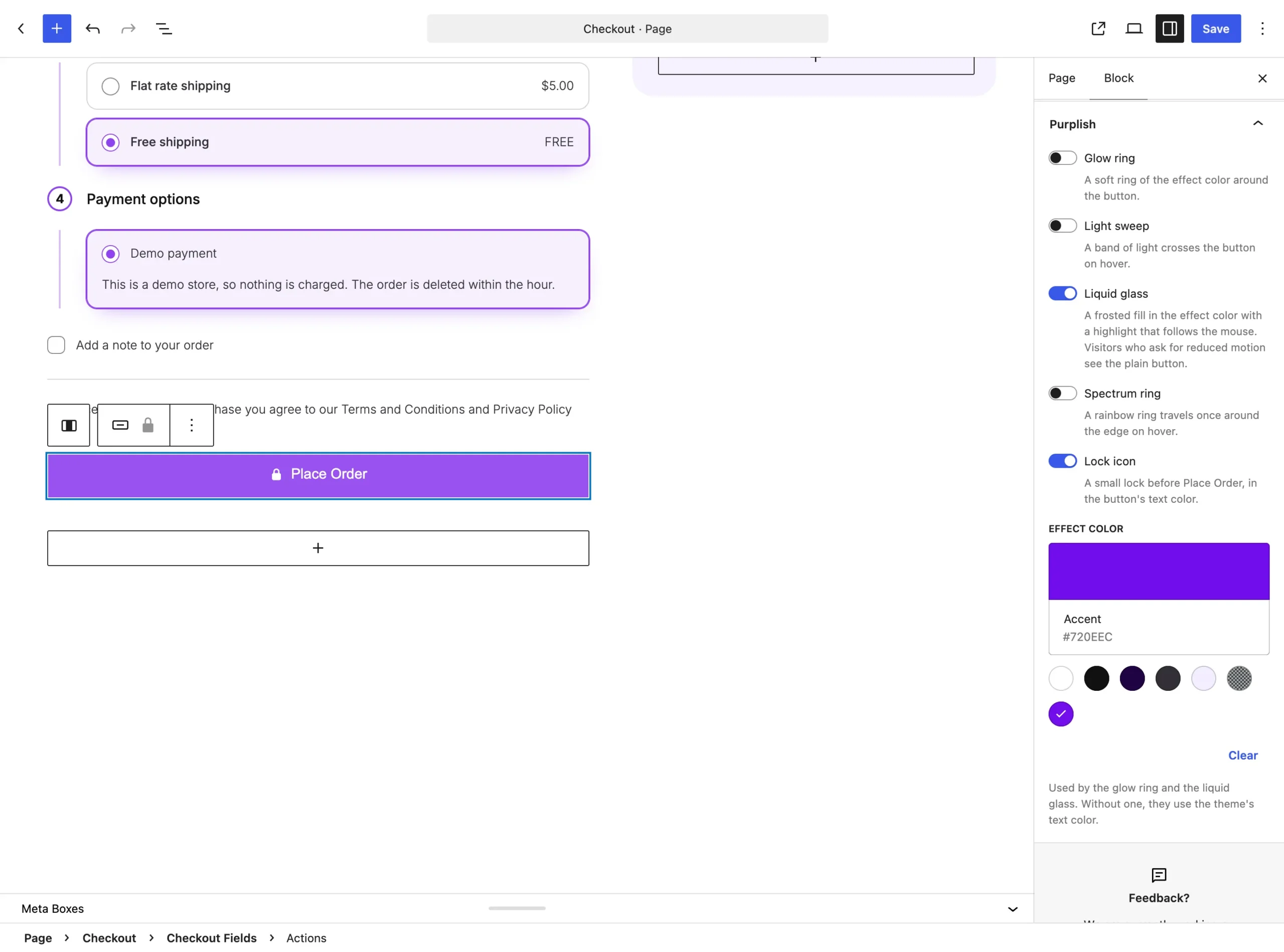
The Purplish panel on the Actions block, which holds Place Order.
The choices
Four switches, all off by default. Turn on any mix.
| Choice | What it does |
|---|---|
| Glow ring | A soft ring of the effect color around the button. |
| Light sweep | A band of light crosses the button on hover. |
| Liquid glass | A frosted fill in the effect color, with a highlight that follows the mouse. |
| Spectrum ring | A rainbow ring travels once around the edge on hover. |
See them on the store
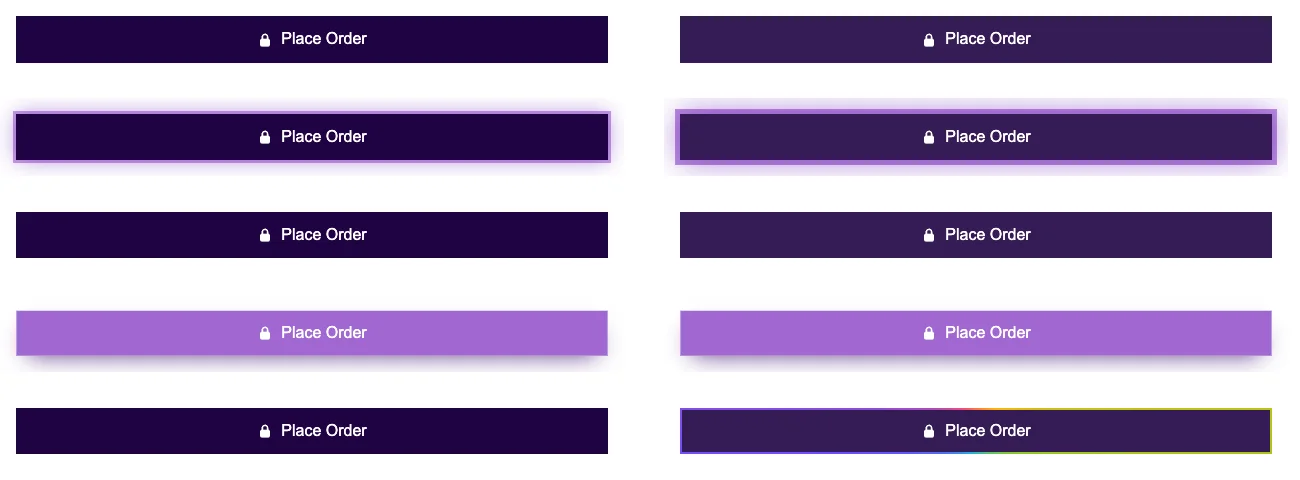
Place Order with no look, then Glow ring, Light sweep, Liquid glass and Spectrum ring, at rest and on hover. Every one has the lock on.
Good to know
Before you turn one on
- The glow ring and the liquid glass use the Effect color at the bottom of the same panel. Without one, they use the theme's text color.
- Visitors who ask their device for reduced motion see the plain button in place of the liquid glass.
- Place Order is the only button with the Lock icon as well.