
Where to find it
Edit the Checkout page in Pages, or open Appearance, Editor, Templates, Page: Checkout. Select the Checkout block, then pick a Field style in the Purplish panel. You'll see it in the editor as you pick.
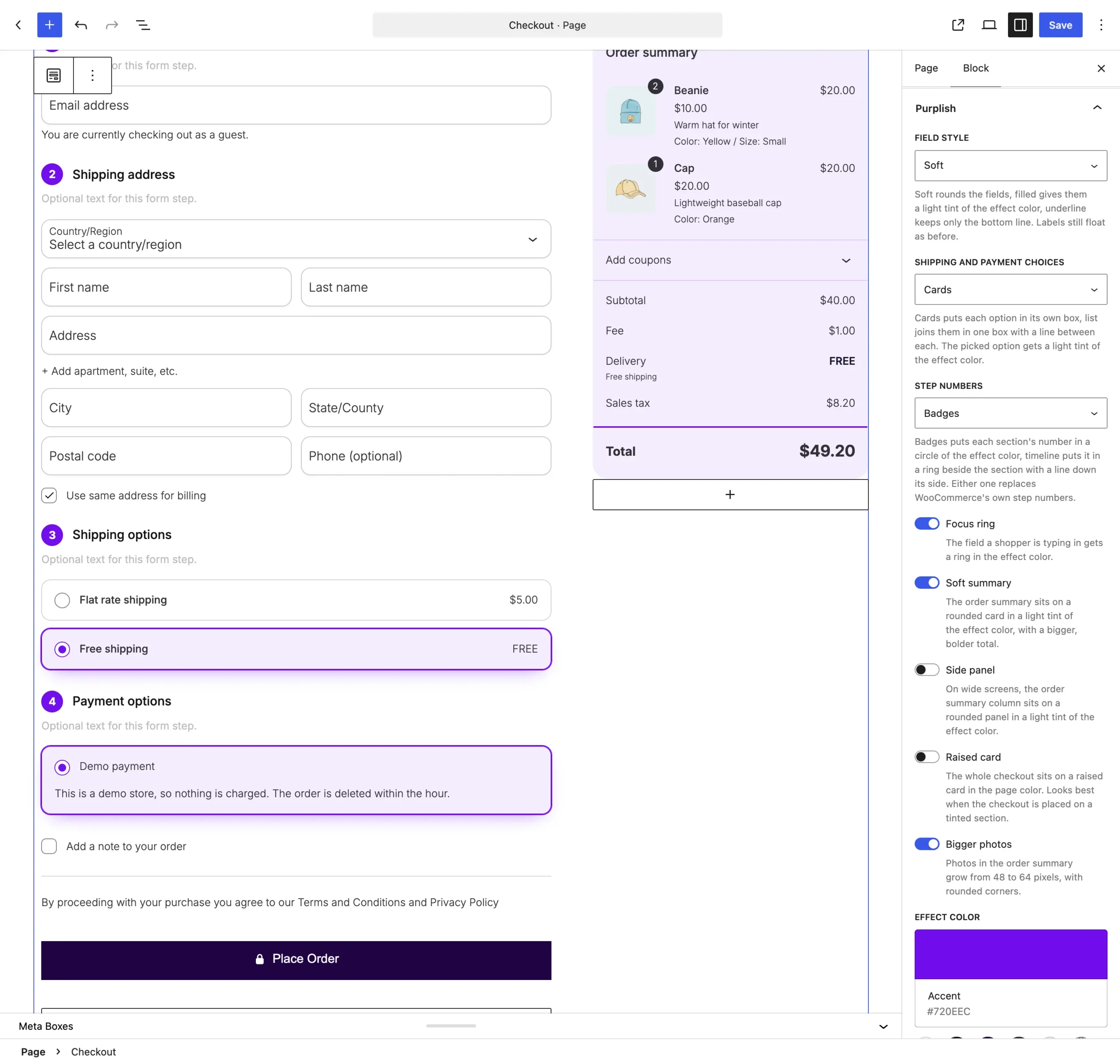
Field style is the first setting on the Checkout block.
The choices
It starts on None.
| Choice | What it does |
|---|---|
| None Default | Keeps WooCommerce's own fields. |
| Soft | Rounds the fields. |
| Filled | Gives the fields a light tint of the effect color, with a line along the bottom. |
| Underline | Keeps only the bottom line. |
See two of them
Filled, then Underline, on the demo store checkout.

Good to know
Before you pick one
- The labels still float as before. Only the borders, corners and tint change.
- The fields keep WooCommerce's own background, so its dark mode inputs setting still works.
- Filled uses the Effect color at the bottom of the same panel. Without one, the tint uses the theme's text color.