
Where to find it
Open the template with your products, like Appearance, Editor, Templates, Product Catalog. Select the Catalog Sorting block, then tick the orderings you want under Orderings in the Purplish panel of the block sidebar.
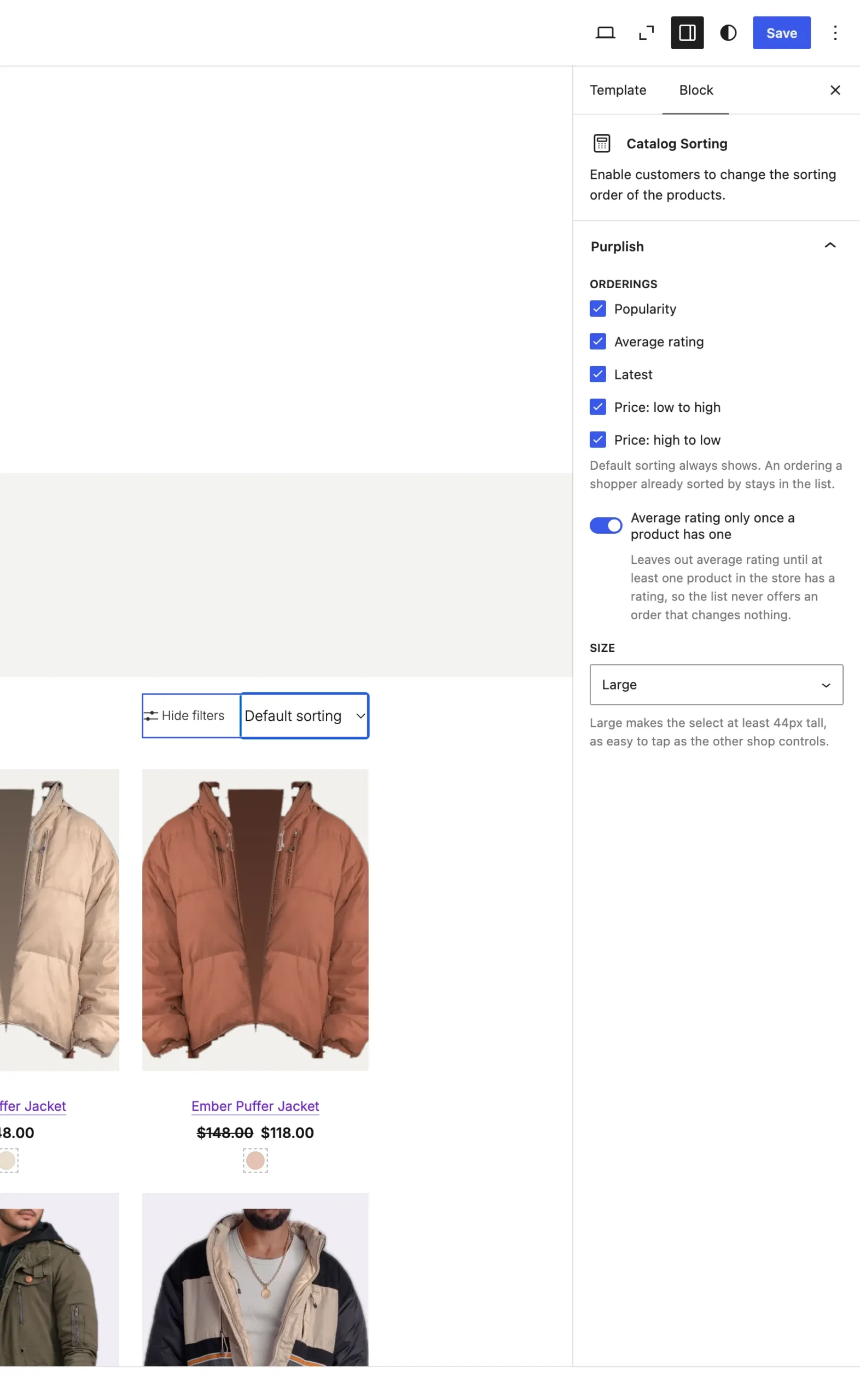
Average rating only once a product has one shows while Average rating is ticked.
The choices
All five start ticked. Untick one to leave it out of the list.
| Choice | What it does |
|---|---|
| Popularity Default | Sort by popularity. |
| Average rating Default | Sort by average rating. |
| Latest Default | Sort by latest. |
| Price: low to high Default | Sort by price: low to high. |
| Price: high to low Default | Sort by price: high to low. |
Average rating only once a product has one:
| Choice | What it does |
|---|---|
| Off Default | Average rating shows when it's ticked. |
| On | Average rating stays out of the list until at least one product in the store has a rating, so a store without reviews never offers an order that changes nothing. |
Good to know
- Default sorting always shows.
- An ordering a shopper already sorted by stays in the list, so a link with that ordering still reads right.
- While an ordering is unticked, the editor shows the trimmed list.
- For a bigger select, see Size.
- Classic themes don't have this one.