
Where to find it
Open Appearance, Editor, Templates, Single Product. Inside the Product Gallery, select the Thumbnails block, then pick a Thumbnail shape in the Purplish panel.
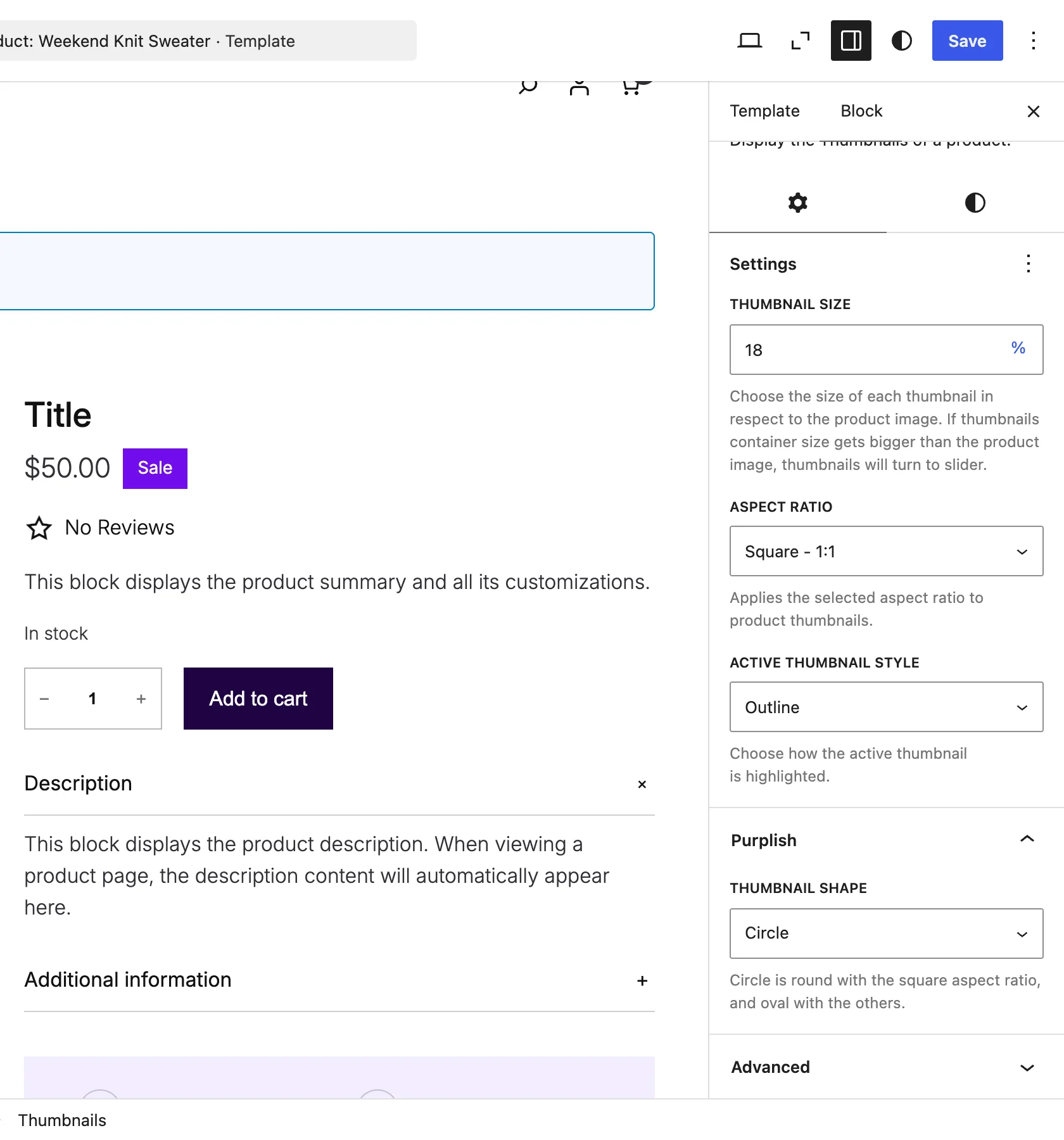
The setting is on the Thumbnails block, inside the Product Gallery.
The choices
It starts on WooCommerce default.
| Choice | What it does |
|---|---|
| WooCommerce default Default | Keeps WooCommerce's square thumbnails. |
| Rounded | Rounds the thumbnail corners. |
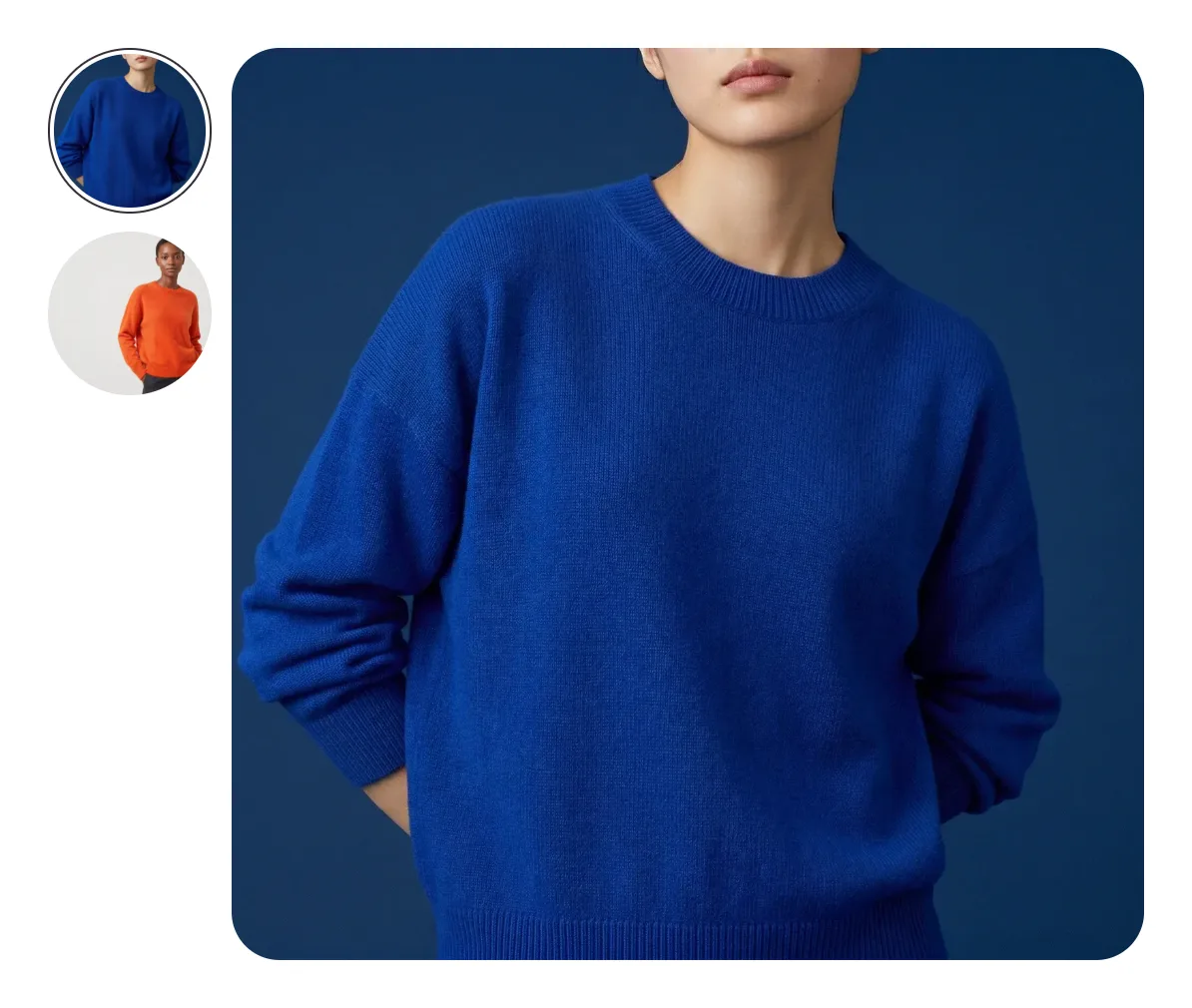
| Circle | Round thumbnails. |
See it on a product
Circle thumbnails beside the Everyday Crew Sweater.
Good to know
Before you pick one
- Circle is round with the square aspect ratio, and oval with the others.
- Hide thumbnails on the Product Gallery block hides the strip, and this setting with it.