
Where to find it
Open the template with your products, like Appearance, Editor, Templates, Product Catalog. Select the Catalog Sorting block, then pick a Size in the Purplish panel of the block sidebar.
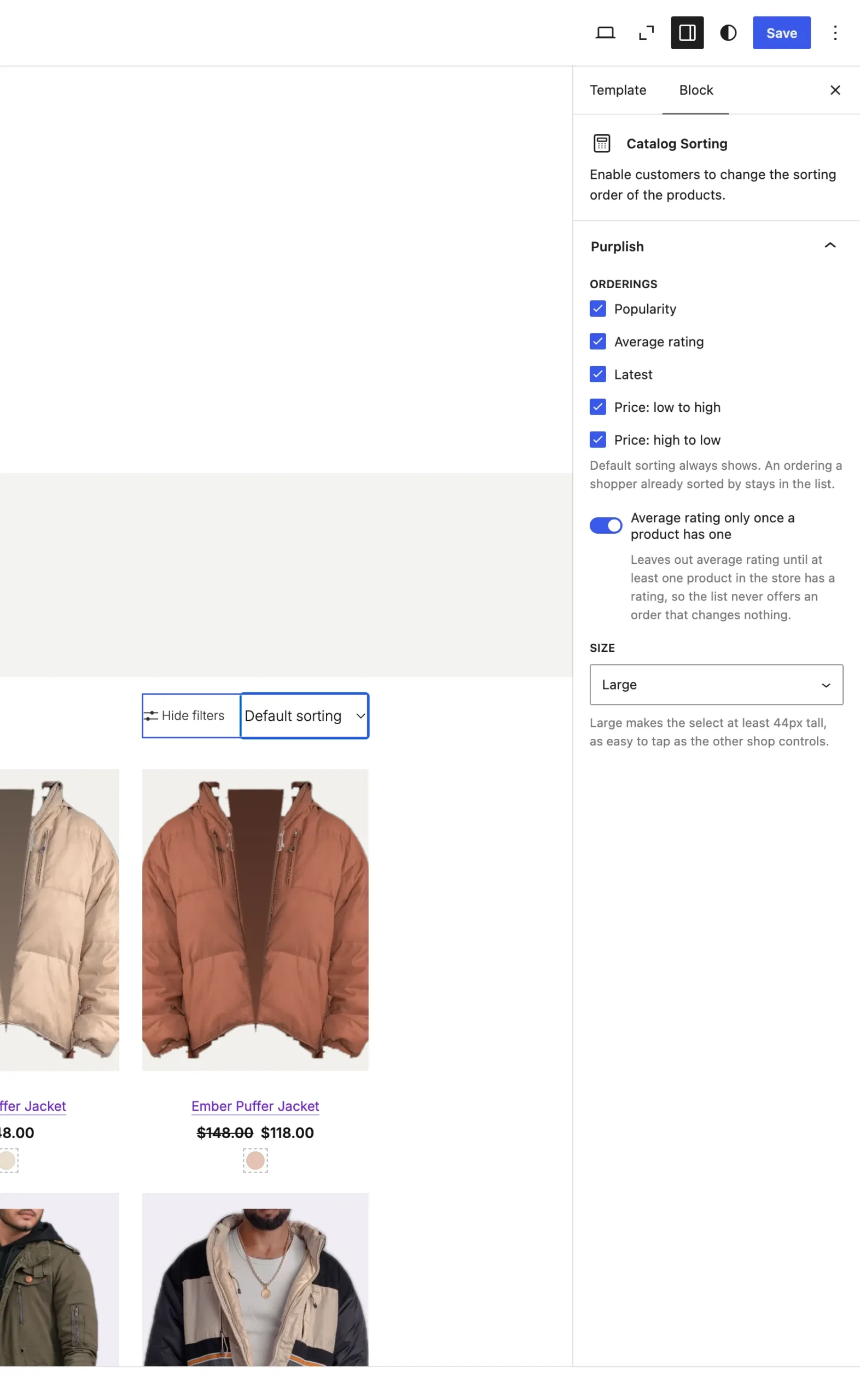
Size sits at the bottom of the panel.
The choices
It starts on Theme default.
| Choice | What it does |
|---|---|
| Theme default Default | The select keeps your theme's size. |
| Large | The select is at least 44px tall. |
Good to know
- 44px matches the Tap size of the filter chips, so the shop controls line up.
- Classic themes don't have this one.