
Where to find it
Edit the Cart page in Pages, or open Appearance, Editor, Templates, Page: Cart. Select the Cart block, then turn on Free shipping meter in the Purplish panel.
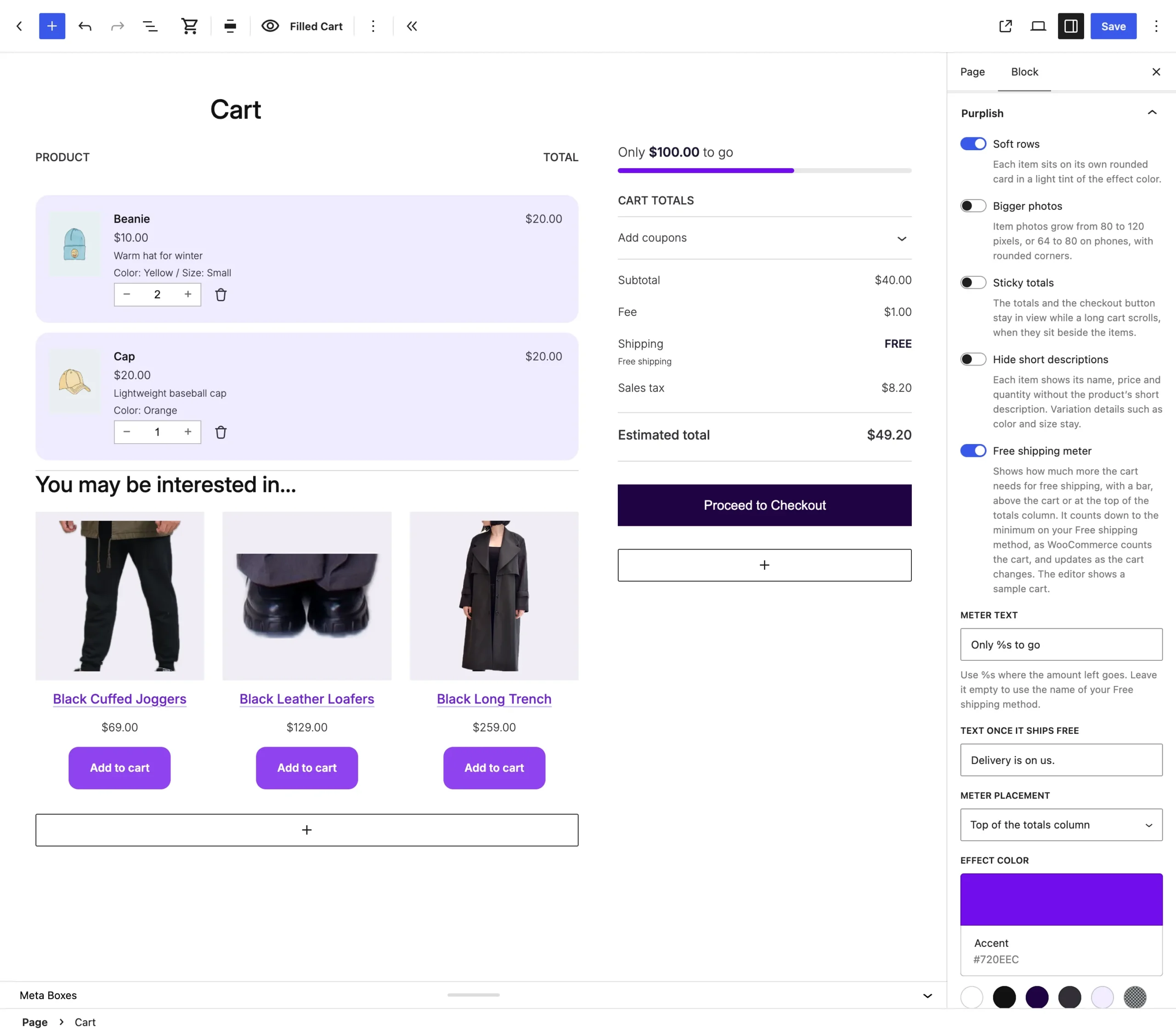
The editor shows a sample cart, with your wording and placement.
What it does
A switch, off by default.
| Choice | What it does |
|---|---|
| Off Default | Leaves the block as it is. |
| On | A line and a bar count down to free shipping, like Spend $12.00 more for free shipping. Once the cart gets there, the bar fills and the line reads Your order ships free. |
Wording, under the switch while it's on:
| Choice | What it does |
|---|---|
| Meter text New in 1.3.3 | Your own line while the cart is short, with %s where the amount goes, like Only %s to go. The amount shows in bold. Left empty, the line names your Free shipping method. |
| Text once it ships free New in 1.3.3 | Your own line once the cart gets there, like Delivery is on us. Left empty, it reads Your order ships free. |
Meter placement:
| Choice | What it does |
|---|---|
| Above the cart Default | Across the top of the cart, at the Cart block's wide or full width. |
| Top of the totals column New in 1.3.3 | Above Cart totals, in the column with the checkout button. It stays there when a shopper changes a quantity. |
Good to know
Before you turn it on
- It needs a Free shipping method with a minimum order amount, in WooCommerce, Settings, Shipping. Without one, the panel says so and the store shows no meter.
- It counts the cart the way WooCommerce does for that method, with discounts taken off unless the method ignores them, and updates as quantities change.
- With Requires set to a minimum order amount or a coupon, a free shipping coupon fills the bar. A method that needs a coupon and a minimum, or a coupon only, shows no meter.
- Above the cart, the meter follows the Cart block's wide or full width. The bar takes the effect color, or the text color without one.
- The Mini-Cart drawer has its own Free shipping meter.
- The line names your Free shipping method by its title, so a method called Free UK delivery reads Spend $12.00 more for Free UK delivery. A method still titled Free shipping keeps the plain line.
- The editor's sample meter shows your wording, and sits in the totals column when that placement is picked.