
Where to find it
Add a Scroll Lookbook block from the Purplish group of the block inserter, on any page, post or template. Select it, then pick a Scroll length in the Scroll Lookbook panel of the block sidebar.
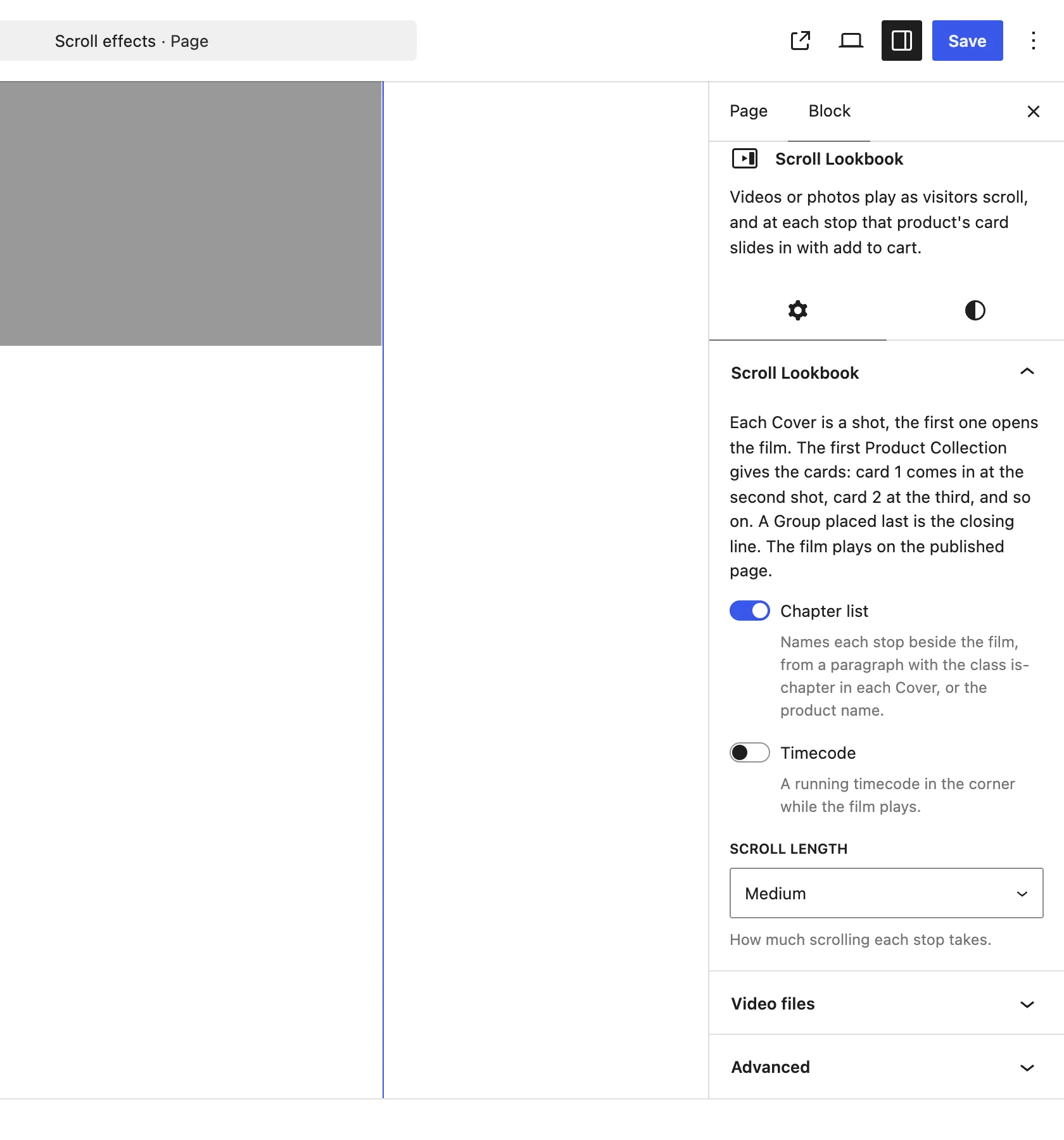
The Scroll Lookbook panel on the Scroll Lookbook block.
The choices
It starts on Medium. The film holds still on screen while the page scrolls through it.
| Choice | What it does |
|---|---|
| Short | Each stop takes one and a half screen heights of scrolling. |
| Medium Default | Each stop takes two and a half screen heights. |
| Long | Each stop takes three and a half screen heights, so the camera moves slowly and each card stays on screen longer. |
Good to know
Before you pick one
- The opening shot, the run back to it at the end and the closing line add 2 screen heights of their own, whatever the length.
- A film with 3 stops on Medium takes 9.5 screen heights of scrolling, on top of its own screen.
- The film needs at least 2 Covers: the opening shot and one stop. With only one, the blocks show as they are.
- Under reduced motion, or on themes that clip the page such as Storefront, the shots and cards stack as a plain page and the length does nothing.