
Where to find it
Edit the Checkout page in Pages, or open Appearance, Editor, Templates, Page: Checkout. Select the Checkout block, then turn on Focus ring in the Purplish panel. You'll see it in the editor as you pick.
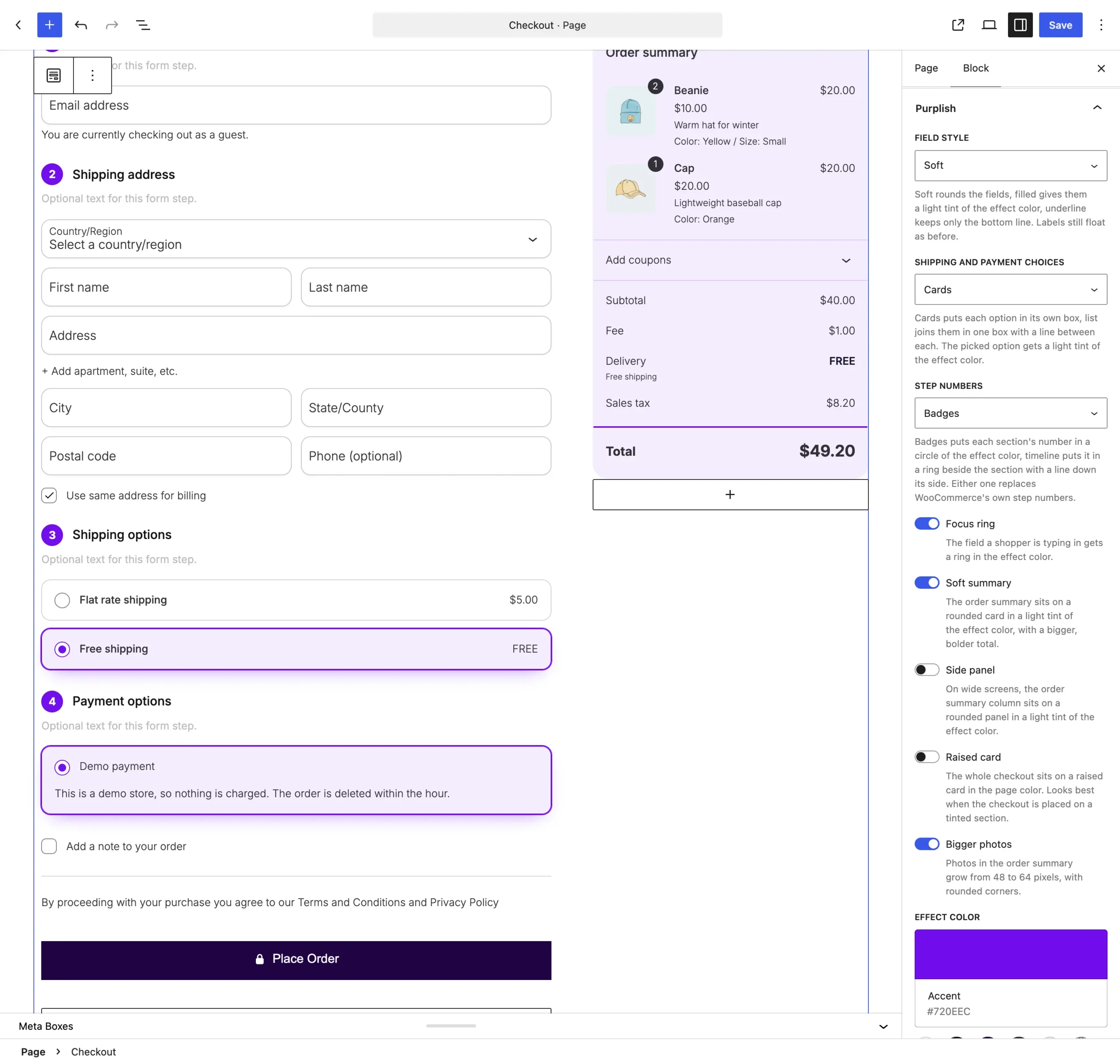
Focus ring sits under Step numbers.
What it does
A switch, off by default.
| Choice | What it does |
|---|---|
| Off Default | Leaves the block as it is. |
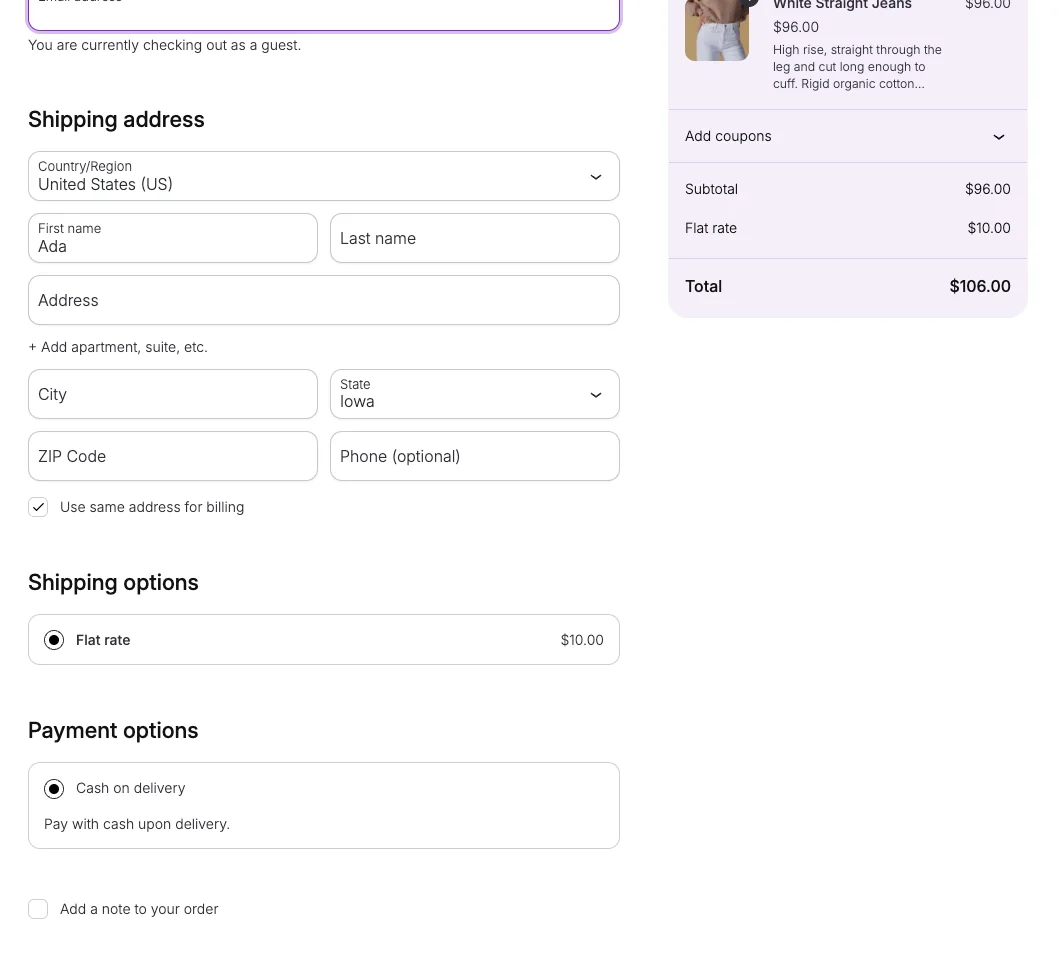
| On | The field a shopper is typing in gets a ring in the effect color. |
See it on the store
The email field in focus, with Soft fields, Soft summary and Bigger photos on.
Good to know
Before you turn it on
- With the Underline field style, the line thickens instead of a ring.
- Without an Effect color, the ring uses the theme's text color.