
Where to find it
Open Appearance, Editor, Templates, Single Product. Select the Add to Cart + Options block, then find Selected option among the switches at the top of the Purplish panel.

Selected option is the second switch in the panel.
What it does
A switch, on by default.
| Choice | What it does |
|---|---|
| On Default | Fills the picked option chip with the color. |
| Off | Leaves this part in your theme's colors. |
See it on a product
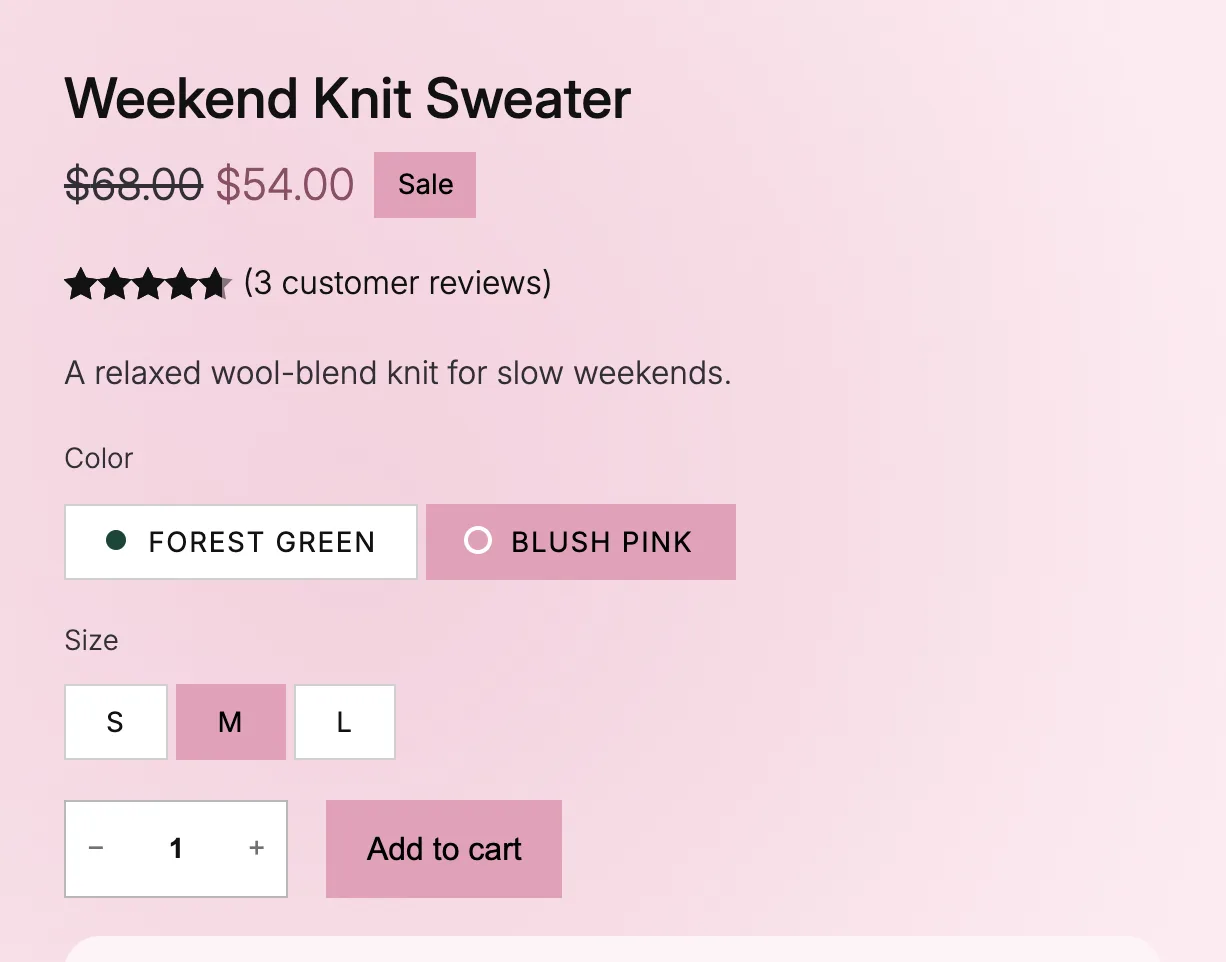
Blush pink is the picked chip, filled with its own color.
Good to know
Before you turn it off
- It works on the option buttons of the Add to Cart + Options block.
- Classic themes show a dropdown instead of chips, so this one is block themes only.
- To show a dot of each color on every chip, turn on Color dots on options.